What is Lasso?
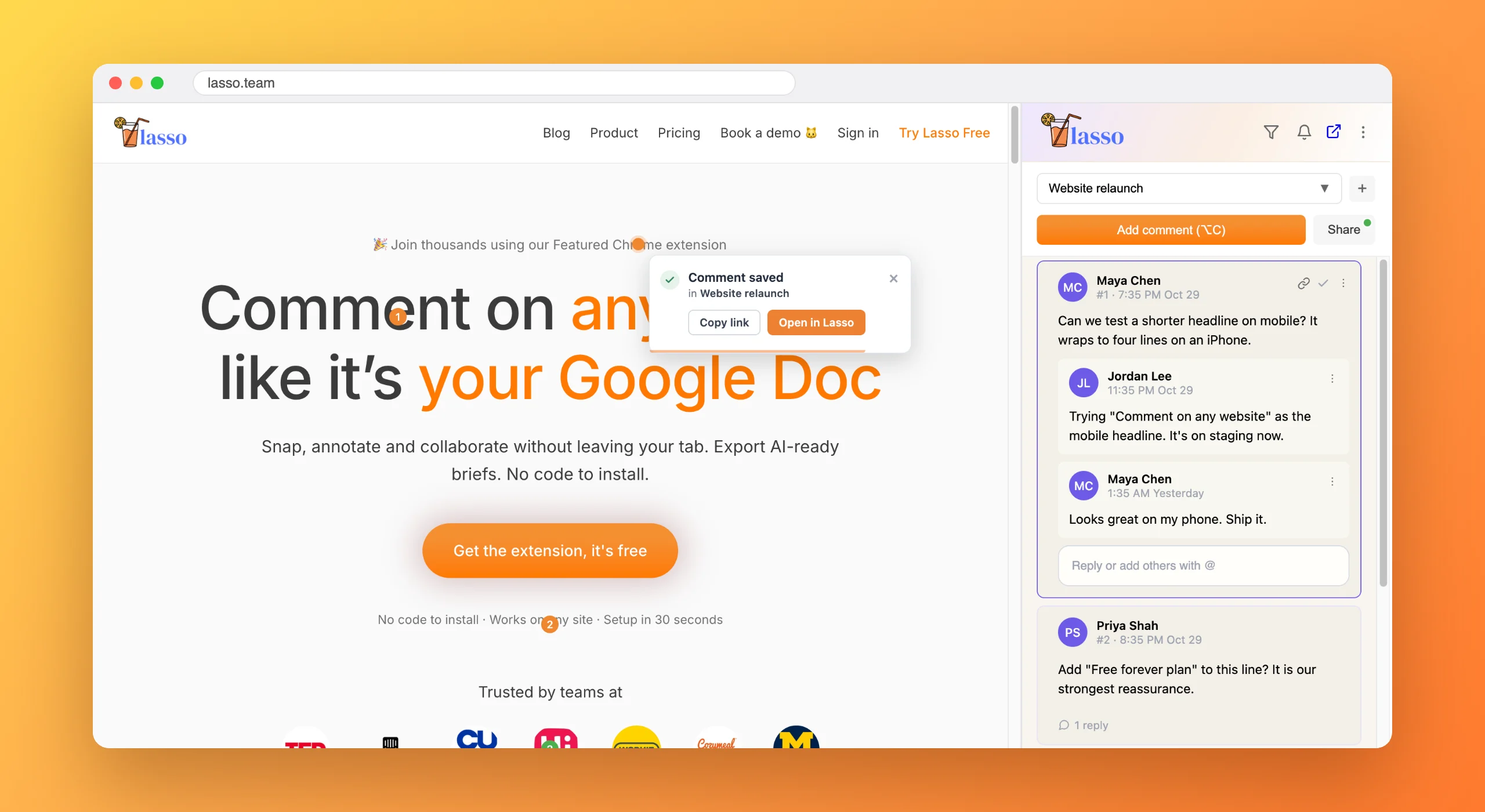
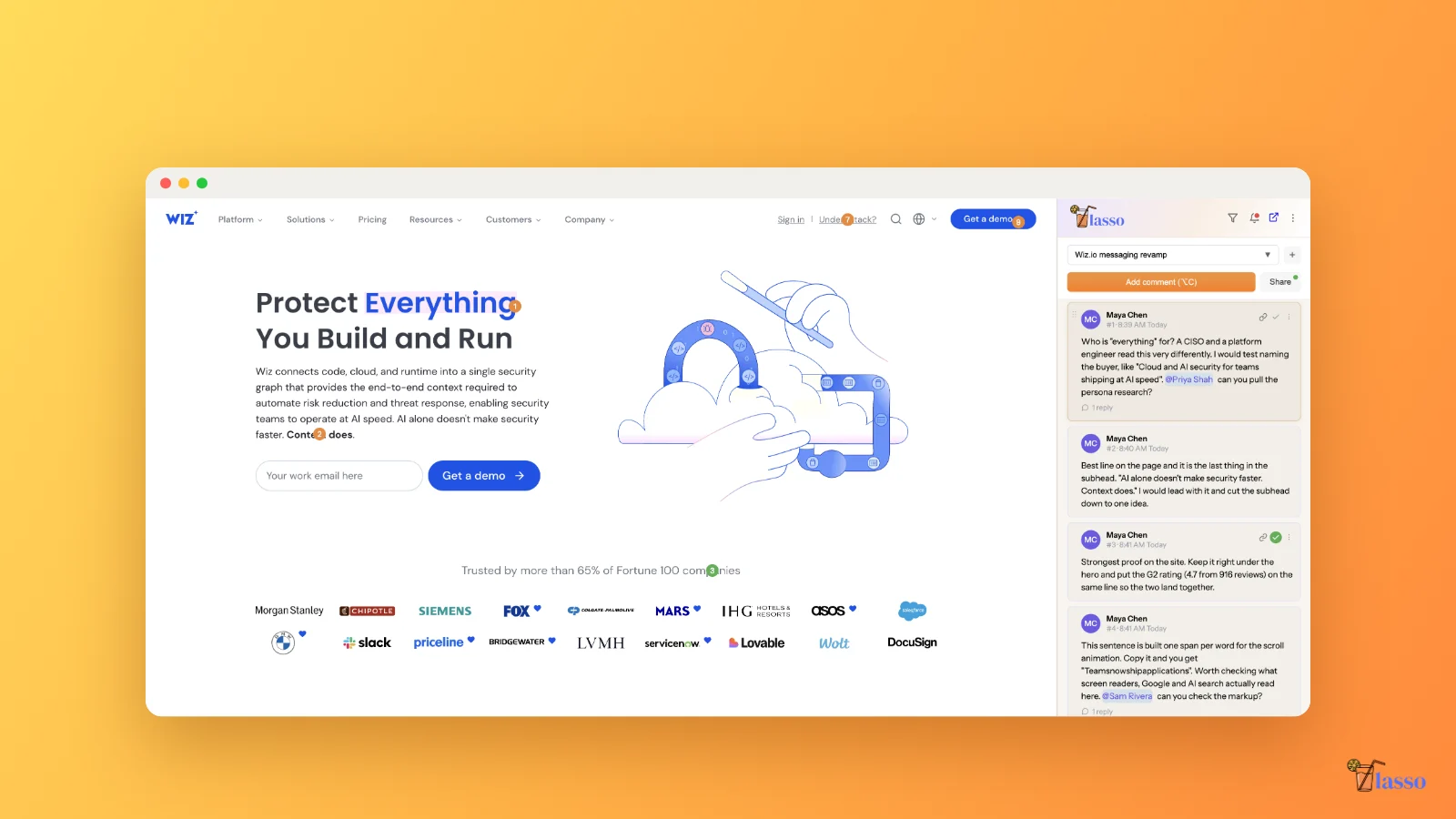
Lasso is a Chrome extension for leaving comments and screenshots directly on any web page, like comments in a Google Doc. Teams use it for website feedback, QA, content reviews and competitor research, without installing any code on the site. Comments are organized into shareable collections and can be exported for AI tools.
Is Lasso free?
Yes. Lasso has a free plan forever, with unlimited comments, replies and @mentions in one collection, plus Export for AI. The Studio plan adds unlimited collections, teammates, presentation mode, CSV export and Slack and Asana integrations. Every new account gets 14 days of Studio free, with no credit card.
How much does Lasso cost?
Lasso Studio costs $20 per user per month, or $17 per user per month billed yearly ($204 a year). The Free plan costs nothing. You only pay for the seats you use, and you can add or remove seats at any time.
Can I leave feedback on a website I don't own?
Yes. Lasso runs in your browser, so it works on any URL, including live production sites, competitor sites and web apps you have no access to edit. Most website feedback tools need a script installed on a site you control, which limits them to your own staging site.
Do I need to install code on my website to use Lasso?
No. Lasso needs no script, snippet or developer setup. Install the Chrome extension, open any page and start commenting in about 30 seconds.
How does Lasso work?
Click any element on a web page and type your comment. Lasso pins it to that exact element, saves a screenshot of the spot, and files it in a collection you can share with your team. Everyone with access sees the same pins on the live page and in the Lasso web app.
Does Lasso take screenshots automatically?
Yes. Lasso takes a screenshot automatically every time you leave a comment, cropped to the element or region you clicked and captured the moment you click. You never press a shortcut, crop or upload anything, and the screenshot stays with the comment after the page changes.
Is Lasso a screenshot extension?
Lasso is a Chrome extension that takes screenshots for you while you give feedback. Click any element or drag over an area, type a comment, and Lasso saves a screenshot of that spot with it. It is built for feedback, not for full-page captures or screen recording.
How do I export website feedback to ChatGPT, Claude or Cursor?
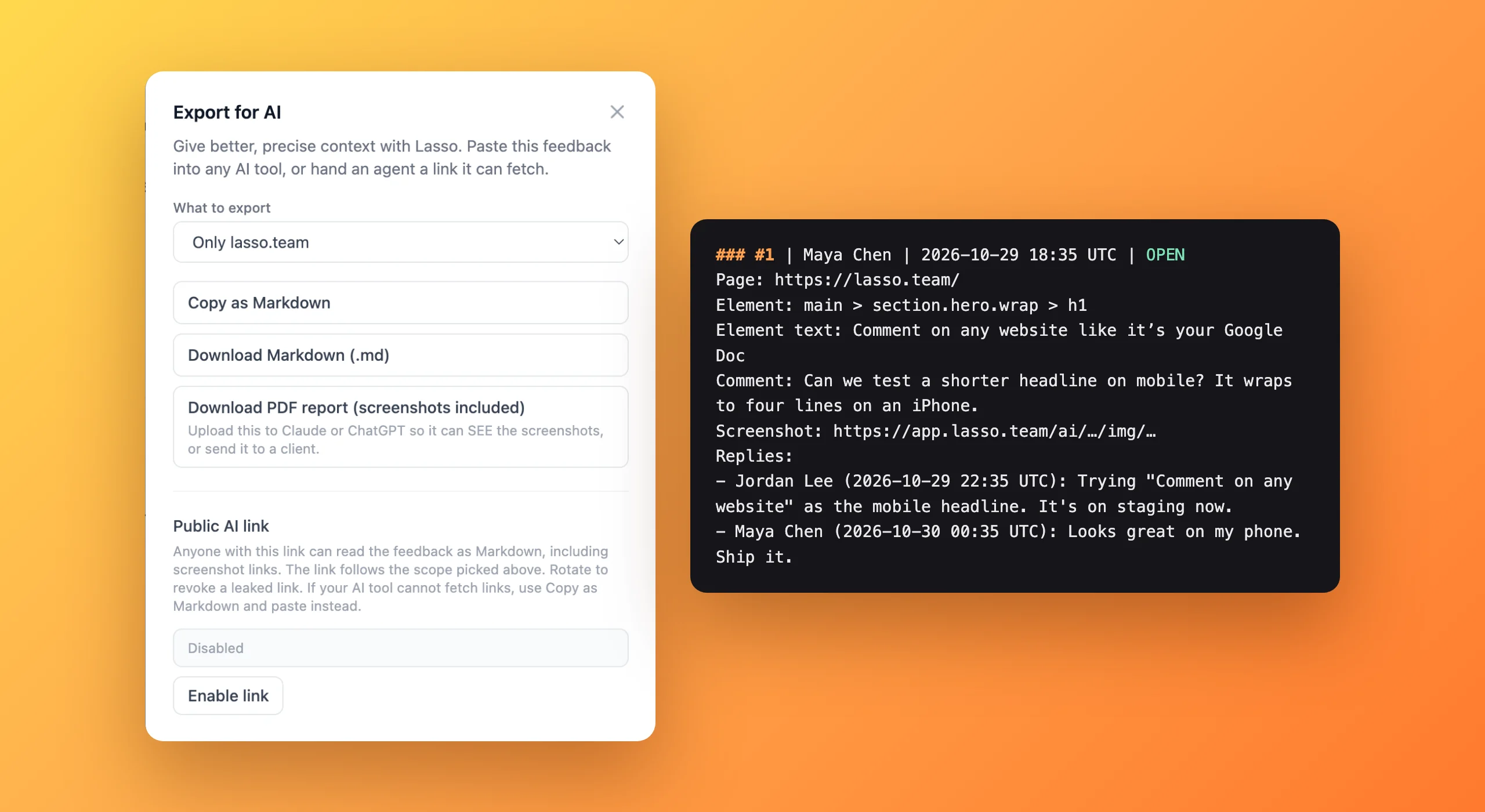
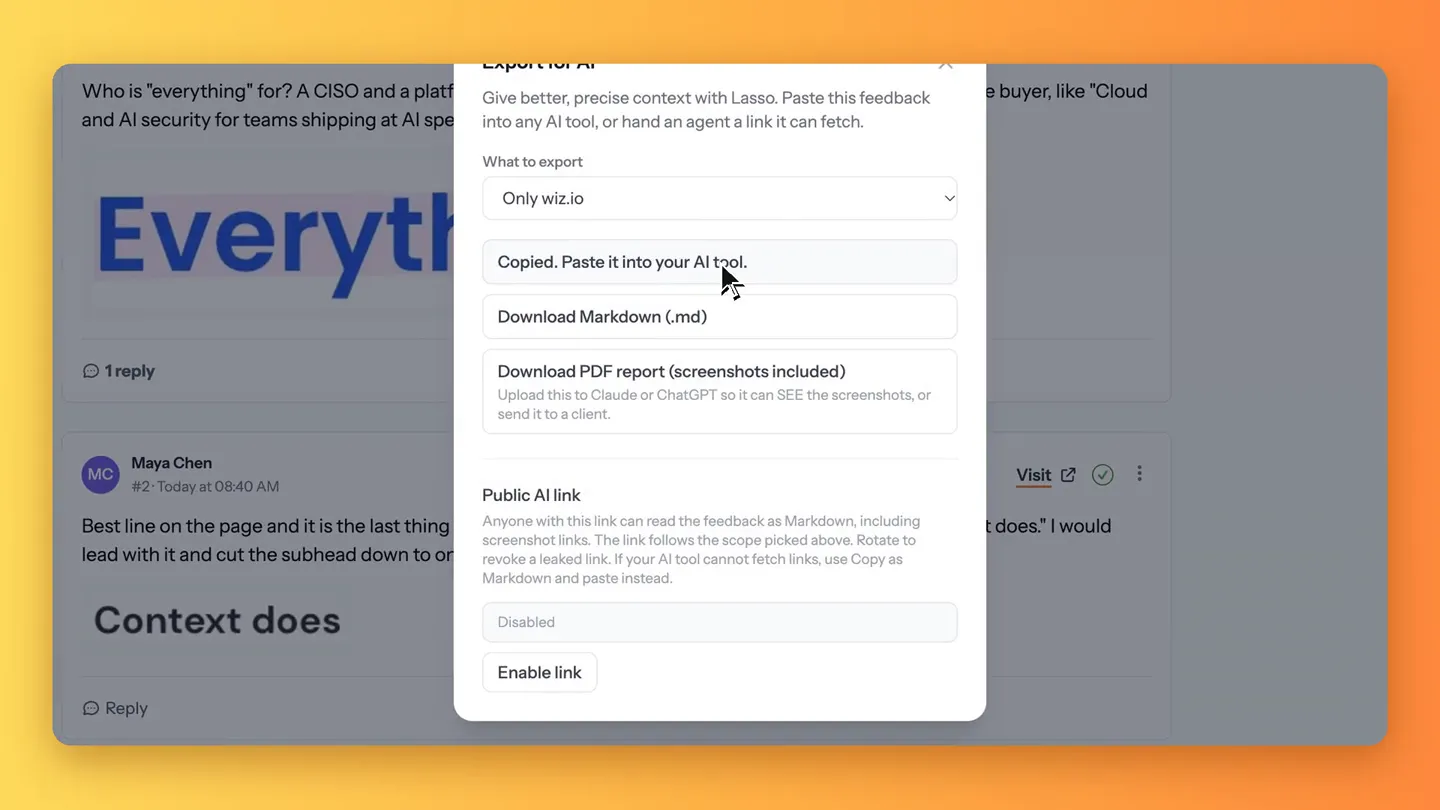
Use Export for AI in Lasso. It turns a collection into a Markdown brief or a PDF with the page, element, comment and screenshot for every item, ready to paste into ChatGPT, Claude, Cursor or any coding agent. You can also share a private link the AI can read directly. Export for AI is included on the free plan.
Does my comment stay in place if the page changes?
Yes. Lasso anchors each comment to its element, with backups such as the element's text and position, so comments stay attached when layouts or classes change. The screenshot taken when you commented keeps the original context even after the page updates.
How is Lasso different from other website feedback tools?
Lasso runs in your own browser and puts comments on the real page, so it works on any site with nothing to install, including pages behind a login, web apps, dashboards, staging sites and competitor sites. Many feedback tools need a script on a site you own or load the page into their own review canvas. Every Lasso comment also keeps a screenshot, and Export for AI hands the lot to ChatGPT, Claude or Cursor. See the
side-by-side comparisons.
Why use Lasso instead of screenshots in Google Docs, Notion or Slack?
Lasso replaces the screenshot, paste and describe routine with one click on the page. With screenshots in Google Docs, Notion, Slack or email, feedback goes stale as the page changes, is scattered across tools, and needs a description like "the second blue button". Lasso pins each comment to the exact element, saves the screenshot automatically and keeps every comment for a site in one shareable place.
Can I share website feedback with my team?
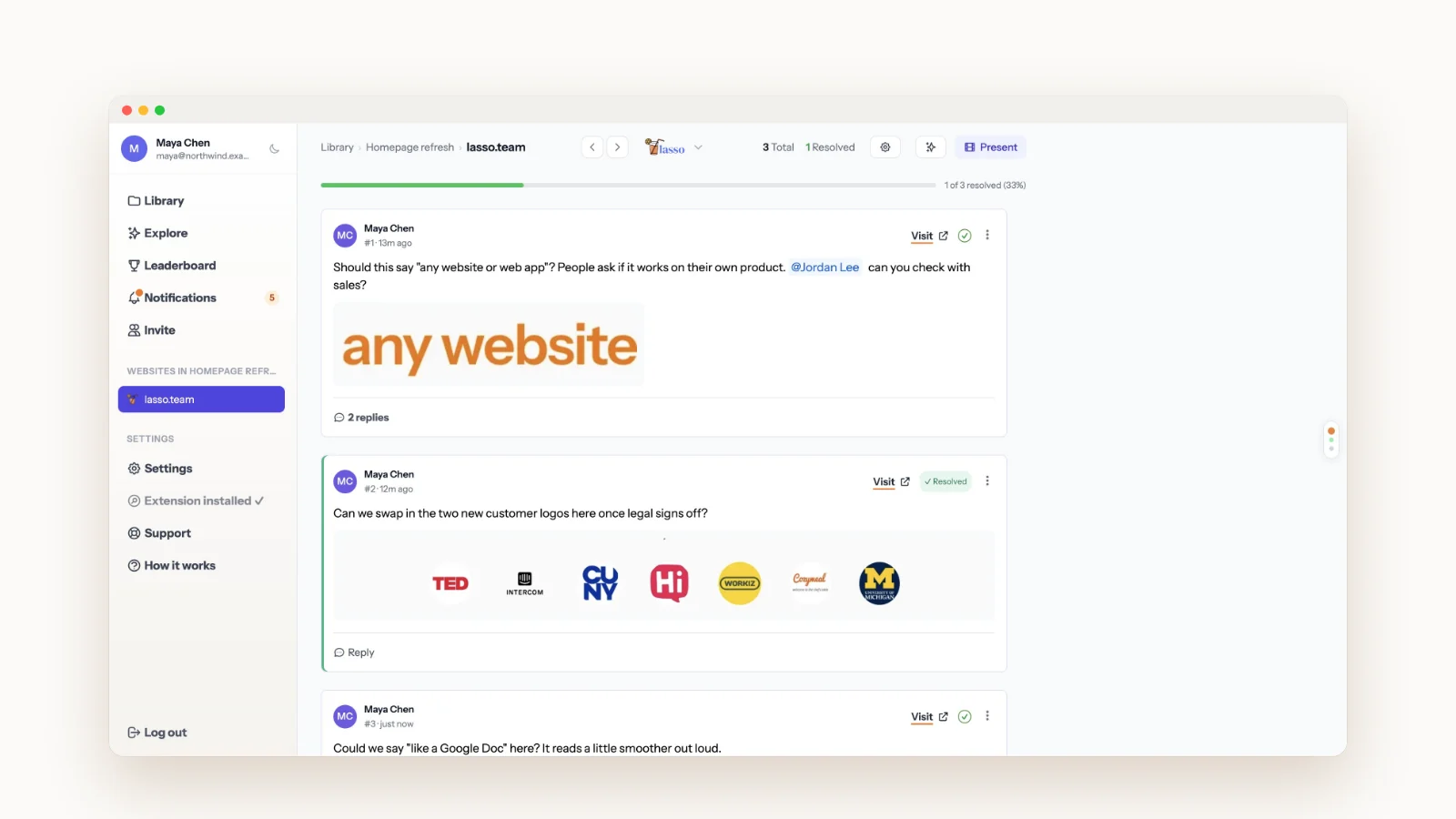
Yes. Lasso groups comments into collections, and each collection is either private or shared with the teammates you choose, who can view, reply, @mention and resolve. Several collections can sit on the same page. Every comment also has a super link you can send in Slack, email or Teams, which opens the exact spot on the page.
What happens when a teammate clicks a Lasso link?
With Lasso installed, the link opens the live web page, scrolls straight to your comment and shows every other comment pinned on that page. Without the extension, they see the comment and its screenshot in the Lasso web app. Either way nobody has to hunt for which page or which part of it you meant.
Do my teammates need the extension?
Only to leave new comments on a page. Teammates can read every comment, see its screenshot, reply and resolve in the Lasso web app from any browser, with nothing installed. With the extension, a super link also opens the live page at the exact spot.
Does Lasso work on localhost and staging sites?
Yes. Lasso runs in your browser, so it works on any page you can open, including localhost, staging and preview deploys, password-protected sites and web apps you are signed in to. There is nothing to install on the site and no IP addresses to allow.
How do I organize what I save in Lasso?
With collections and search, and that is on purpose. Make a collection per project, competitor or theme, such as pricing pages or onboarding flows, and keep it private or share it with your team. Every page you have commented on appears in your library, sorted by site, and you can search the text of your comments. Lasso skips tags, assignees and task boards so there is nothing to maintain, and you can send a comment to Asana when it needs to become a task.
Does Lasso integrate with Slack and Asana?
Yes. On the Studio plan, Lasso posts new comments to a Slack channel and turns comments into Asana tasks with the URL and screenshot attached. Email notifications for replies, mentions and new comments are included on every plan.
Which browsers does Lasso support?
Lasso is a Chrome extension. It also installs from the Chrome Web Store in Chromium-based browsers such as Microsoft Edge and Brave. Anyone can view and reply to comments in the Lasso web app from any modern browser.
Is my data secure with Lasso?
Yes. Lasso sends everything over encrypted connections, keeps screenshots in private storage, and shows comments only to the people in that collection. Lasso never sells your data. See the
Privacy Policy for details.