
Lasso for PMM and GTM Teams, Without the Screenshot Chaos
Parry Gill · Feb 16, 2025 · 6 min read

Quick question for anyone in product marketing or go-to-market. How did your last landing page review go?
I'll guess. Someone grabbed a screenshot and drew a wobbly red arrow on it. Someone else replied in Slack with "no, the other blue button, the one under the dog in the hard hat". A Google Doc of notes got started and then quietly abandoned. And the one decision anybody actually needed ended up in reply thirty-eight of an email thread with four forwards in the subject line.
Then the page changed, and every screenshot was wrong. Your desktop now has a file called screenshot_final_v3_REAL.png, and it is not the final one.
The problem isn't you, it's the tools
PMM and GTM people spend their week on web pages. Launch pages, pricing, the help center, competitor sites, the dashboard sales likes to demo. Somebody always needs to say "change this bit, right here".
We just never had a good way to say it. Slack is great for chatting and terrible for remembering. Screenshots are frozen the second you take them. Docs drift away from the thing they describe. So we spend our time re-explaining which element we meant instead of fixing it.
It's never a crisis. It's a slow leak of hours, and it gets worse right before a launch, which is exactly when you can't afford it.
So we built Lasso
The question behind Lasso was pretty simple. Why is giving feedback on a web page so much harder than giving feedback on a Google Doc? In a doc you highlight a sentence and type. On a website you take a picture of it, crop it, describe it, paste it somewhere else and hope.
Lasso is a Chrome extension. You click on any part of any web page and leave a comment there, a bit like commenting in a Google Doc. The comment stays stuck to that element, and your teammates see it on the real page instead of in a cropped picture of it.

Game changer for our team!! Screenshots, annotations, sharing feedback, it used to be such a pain, but Lasso totally streamlined everything! Way less buggy, and I could actually purchase the Pro version right away!
James C.
Here's what tends to matter most for marketing and GTM folks.
The screenshot takes itself
When you comment, Lasso snaps a picture of that exact spot. Six weeks later, after the redesign, you can still see what the page looked like when somebody complained about it. And if the layout moves around a bit, the pin follows the element.
Need the designer? Type @ and their name. They hear about it in Lasso, or in Slack if you've connected it.
Collections stop the crosstalk
Five stakeholders commenting on one homepage gets loud. We split things up with collections. Maybe one for the Q4 launch team, a private one for your half-baked ideas, and one about competitor pricing that sales is allowed to read.
The neat trick is that several collections can live on the same page. On a competitor's site you can keep your own blunt notes in one, the team's analysis in another, and the polished talking points for sales in a third. Nobody else sees the blunt ones.
Everything ends up in one library
Every page your team has touched shows up in a single list, with a thumbnail so you recognize it. That pricing debate from three weeks ago is a search away rather than an archaeology project.
Slack and Asana, if you want them
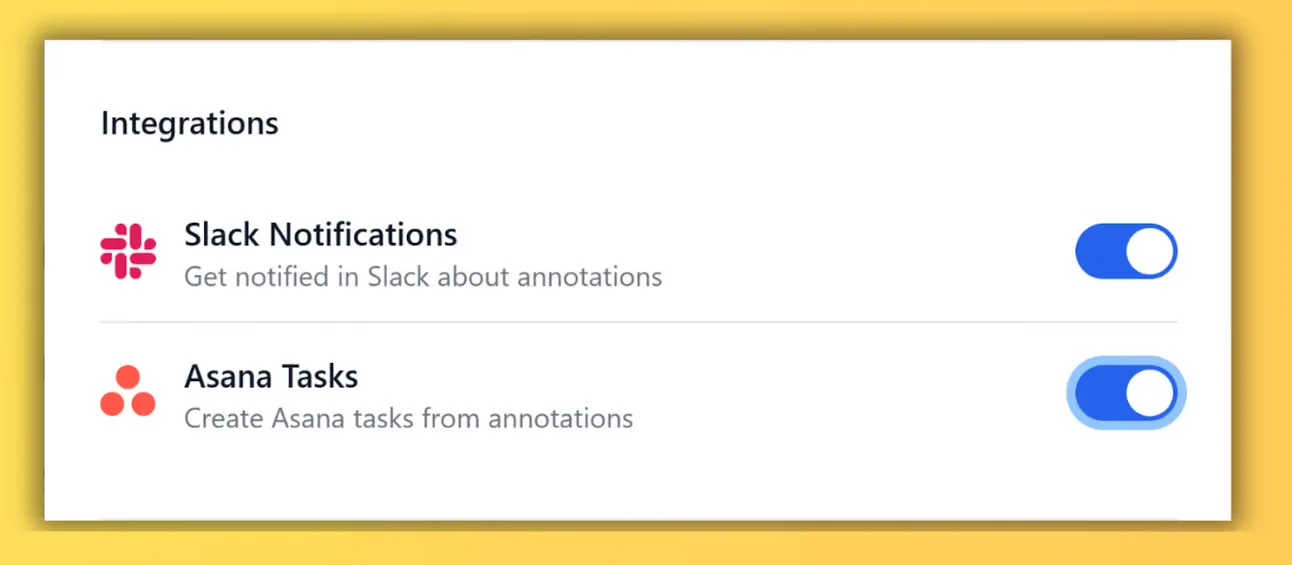
New comments can post into a Slack channel. Any comment can turn into an Asana task with the link and screenshot already attached, so nobody types the same bug report twice.
What teams actually use it for
Landing page reviews are the obvious one. People drop copy and CTA notes right on the page and start a fresh collection for each round, so the V1 arguments don't bleed into the A/B test ideas.
Competitive research is the other big one, and honestly my favorite. You annotate a rival's pricing and positioning, then hand sales a living collection rather than a PDF that's stale by next quarter.
Launch teams mark up the staging site and tag the web team on each fix. Enablement folks review datasheets and demo environments with the reps who use them. Campaign managers catch broken links before the email goes out, not after. Analysts get a question pinned to the exact spike on a chart. And new hires get walked through internal tools with notes sitting right on the screens they'll use.
What gets better
The first thing teams tend to notice is fewer review rounds. When a comment sits on the exact headline it's about, nobody has to ask which one, so the second round is about the copy instead of about finding the copy.
Decisions also stop disappearing. The thread lives on the page, next to the thing it changed, so in three months you can still see why the CTA says what it says.
Sales gets intel that stays current, because the competitor collection is a living page rather than a slide. And launches get calmer, since everyone is looking at one list of what's left on staging instead of five.
Is it another tool to learn?
Honestly, no. If you've ever left a comment in Google Docs, you already know how it works. There's nothing to install on your website, it sits alongside Slack and Asana rather than replacing them, and the free plan is free forever. New accounts also get 14 days of Studio without a credit card.
Making website changes is way easier now that my team and I can all collaborate right on the live webpage! We are never going back to fussing with screenshots, docs and slides or key info getting lost in chats.
Roxanne Pomerantz
Try it on your next review
Install the extension, open whatever page you're reviewing this week and leave your team three comments. You'll know pretty quickly whether you want to go back to screenshots.