
01
Everything you need to find it
Each comment carries the URL, a CSS selector, the element’s visible text and a screenshot taken when it was reported.

Developers and QA
Every comment arrives with the page, a selector for the element, its text and a screenshot. Fix it, check it on the same page, and resolve.
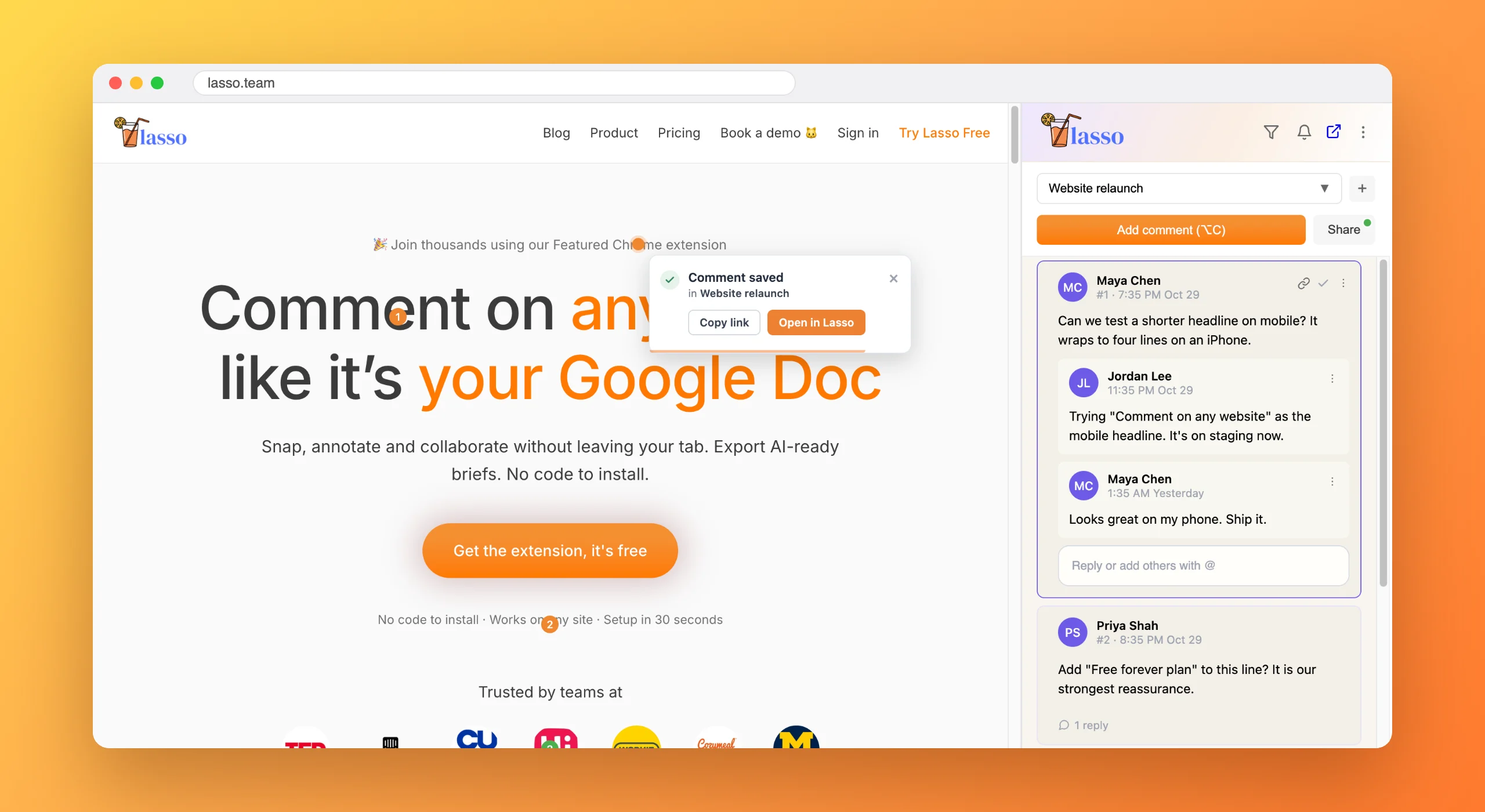
Most bug reports are a sentence and a cropped screenshot. Before you can fix anything you have to reproduce it, which means finding the page, finding the element and guessing the state it was in.
Multiply that by a QA pass with forty findings and the reproducing takes longer than the fixing.
Each comment carries the URL, a CSS selector, the element’s visible text and a screenshot taken when it was reported.
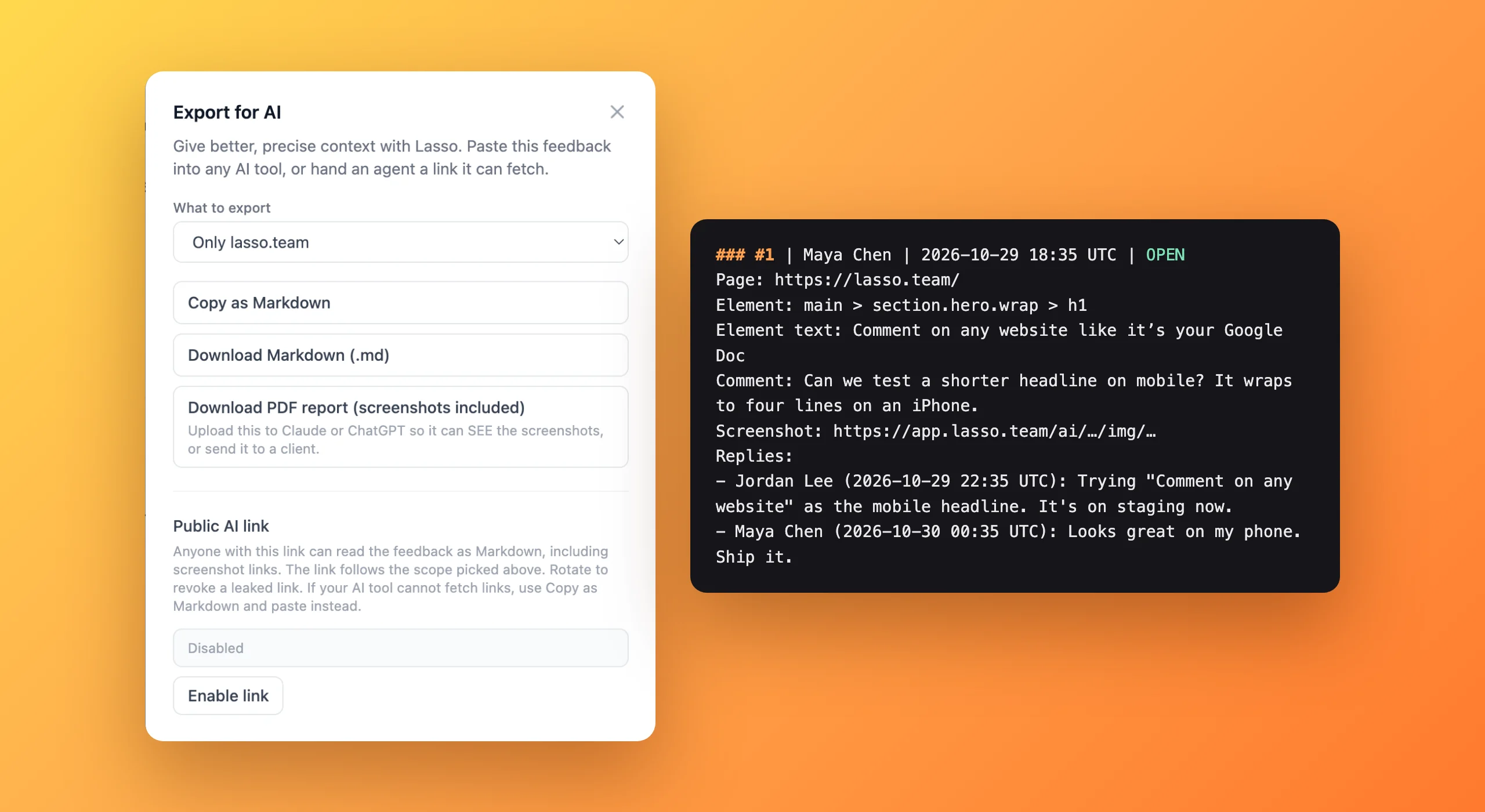
Export a collection as Markdown for Cursor or Claude Code, or as a PDF with every screenshot inside.

Reload the page with Lasso open, look at the pin, resolve it. Or turn a comment into an Asana task with everything attached.
Less time reproducing and more time fixing.
AI coding agents get it right on the first pass more often.
Regressions are easy to check, because the old comment is still pinned to the element.
Click the broken element with Lasso and describe the problem. The comment saves the page URL, a CSS selector, the element's text and a screenshot, so whoever fixes it can find it without reproducing anything first.
Yes. Export for AI turns a collection into a Markdown brief or a PDF with screenshots, listing each bug's page, element, text and status. Paste it into Cursor, Claude Code, Codex or ChatGPT, or share a private link the agent can fetch.
Lasso keeps the comment attached by trying the element's id, selector and text in turn, and falls back to its saved position if the element is gone. The screenshot always shows what the page looked like when the bug was reported.

From the blog
6 min read
Free forever plan · No code to install · Every new account gets 14 days of Studio