
Show your AI agent what you mean, instead of describing it
Parry Gill · Nov 7, 2026 · 4 min read
Coding agents got fast. Cursor or Claude Code can change a button, fix a layout or rewrite a section in a minute or two. What didn't get faster is me telling them what I want.
Here's the part nobody warns you about. Most website feedback is visual. "This feels cramped." "That badge is the wrong orange." "The second card on the pricing page sits lower than the others." In a meeting I'd just point at the screen and everyone would get it. In a prompt I have to turn pointing into words, and words are a lossy format for "that thing, there".
So the agent guesses. It finds a card, maybe the right one, and changes something, maybe the right thing. Then I write a longer prompt. Then I paste a screenshot, which helps, until it asks which of the three buttons in the screenshot I meant.
The agent isn't the slow part, the brief is
When I look at where the time actually goes, it isn't the agent working. It's me writing the brief, and then fixing the brief. Every round trip is a small tax, and on a full website audit with twenty notes the tax adds up to an afternoon.
What the agent needs for each note is pretty boring, honestly.
- Which page.
- Which element on that page, in a form it can search the code for.
- What it looked like when I noticed.
- What I want changed.
I'm good at the last one. The first three are where I'm slow and vague, and they're exactly the parts a tool can capture for me.
Point at it, the way you would with a person
That's what web annotation in Lasso does. You click the element on the live page (or drag a box over an area) and type your note right there. Lasso pins it to that spot and saves a screenshot of it at the moment you click. You never take the screenshot yourself and you never have to say "near the top, under the header, the second one".
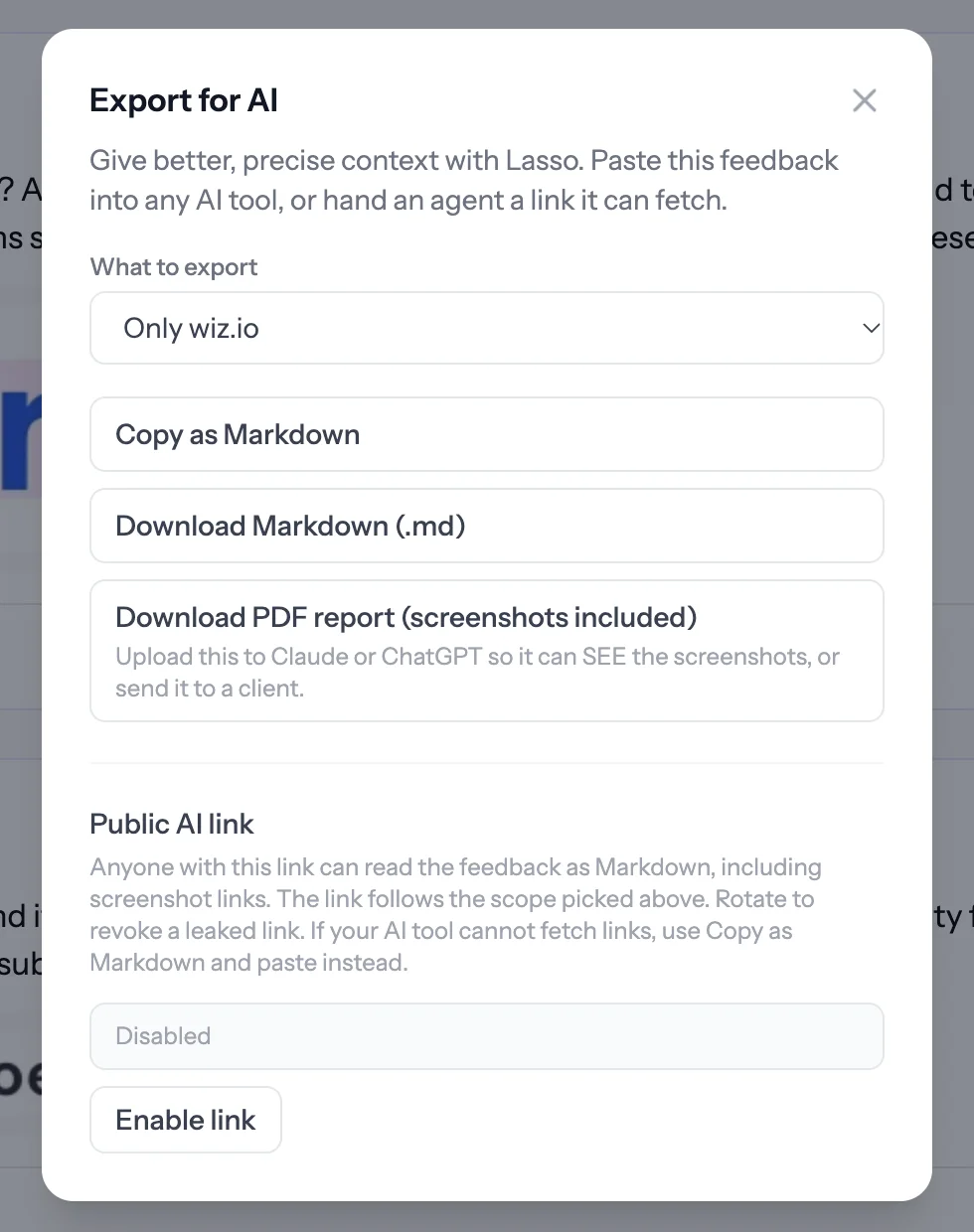
Do that for every note, the same way you'd walk a teammate through the page. When you're done, open the collection and click Export for AI. Every comment comes out with the page address, the element's selector and the words on it, your note, the screenshot and any replies. That's the brief, already written. You didn't type a single "it's the one on the left". Your agent gets the exact visual context with every comment, so there's no guesswork.
Why showing beats telling
A few things change once the agent gets this instead of a paragraph.
It stops guessing which element. The selector and the visible text are enough for it to find the right spot in the code, even on a big page.
It sees what you saw. The screenshot was taken when you clicked, so if the page has changed since, the agent still knows what bothered you.
You stop rewriting prompts. If a fix misses, you reply on that one comment. You don't start the whole explanation over.
And the notes stay useful after the fix. They sit on the page with their screenshots, so a month later you can still see what was asked and why it changed.
What about privacy
Fair question when an extension is involved. Lasso runs in your own browser and needs no script on your site, so your visitors never load anything from us. It only sends page details to Lasso when you leave a comment or have the side panel open. Collections are private until you share them, and the screenshot covers the spot you picked, not your whole screen. The export goes wherever you paste it and nowhere else.
Try it on one page
Pick the page that's been bugging you. Leave three comments on it, export, and paste it into your agent with "fix the open comments in this file". If it gets all three right the first time, you'll see what I mean. Export for AI is on the free plan, and Lasso is here.